This document details the list of steps you must follow in order to get the agent to agent bug fix working in your environment. Please note these steps only apply to customers who have speech analysis enabled in the app.
Import the agent transfer flow
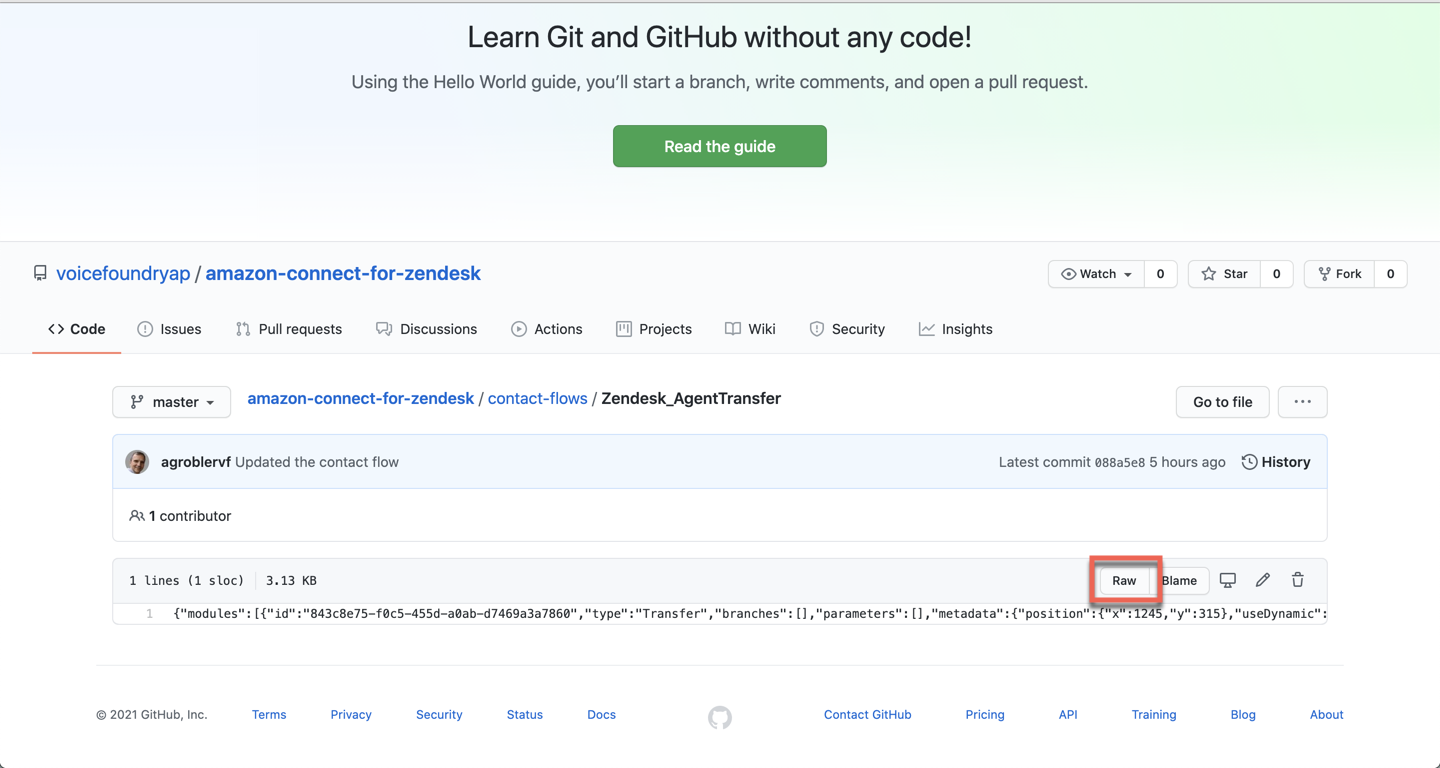
Click on the below link to view the Zendesk_AgentTransfer flow in our GitHub account.
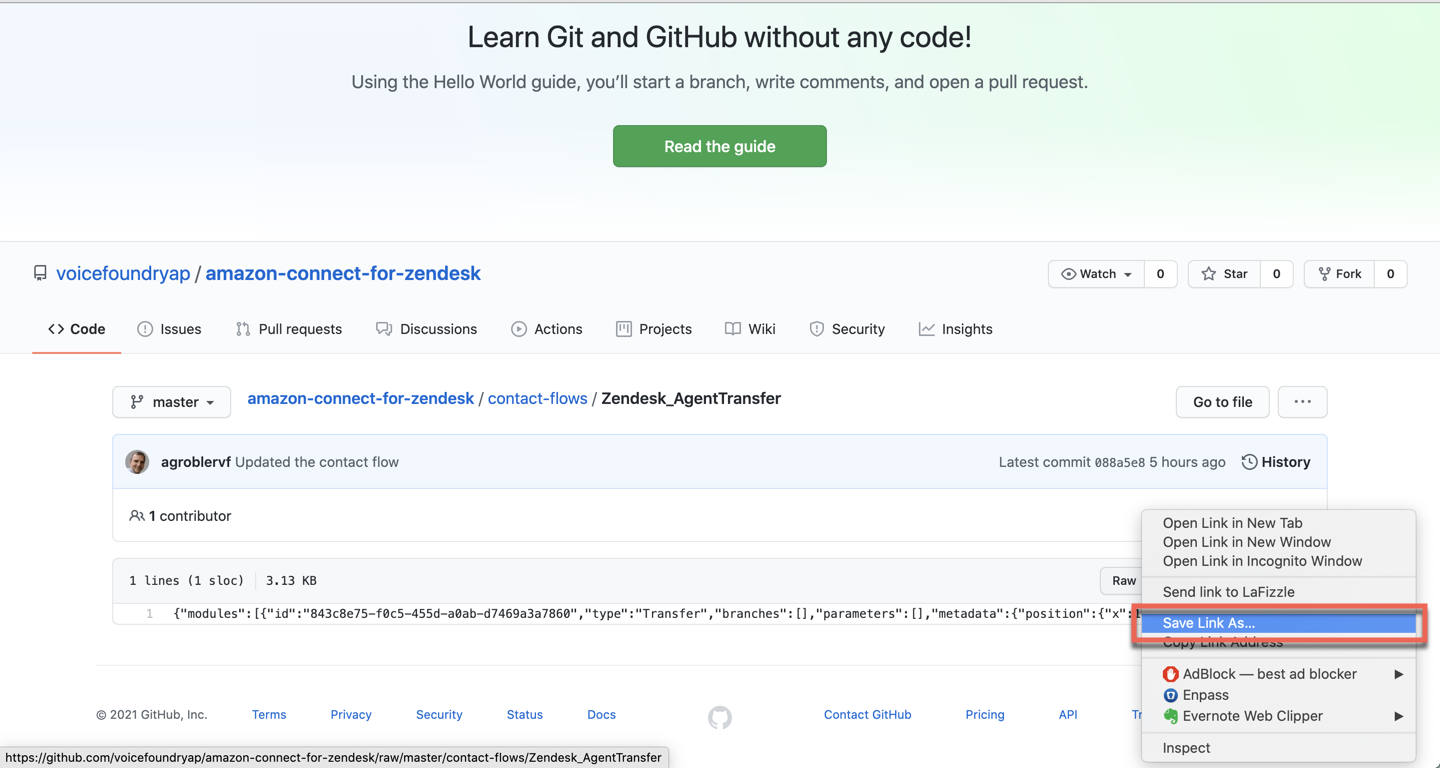
Right click on raw, then click save link as and save the file to your desktop.
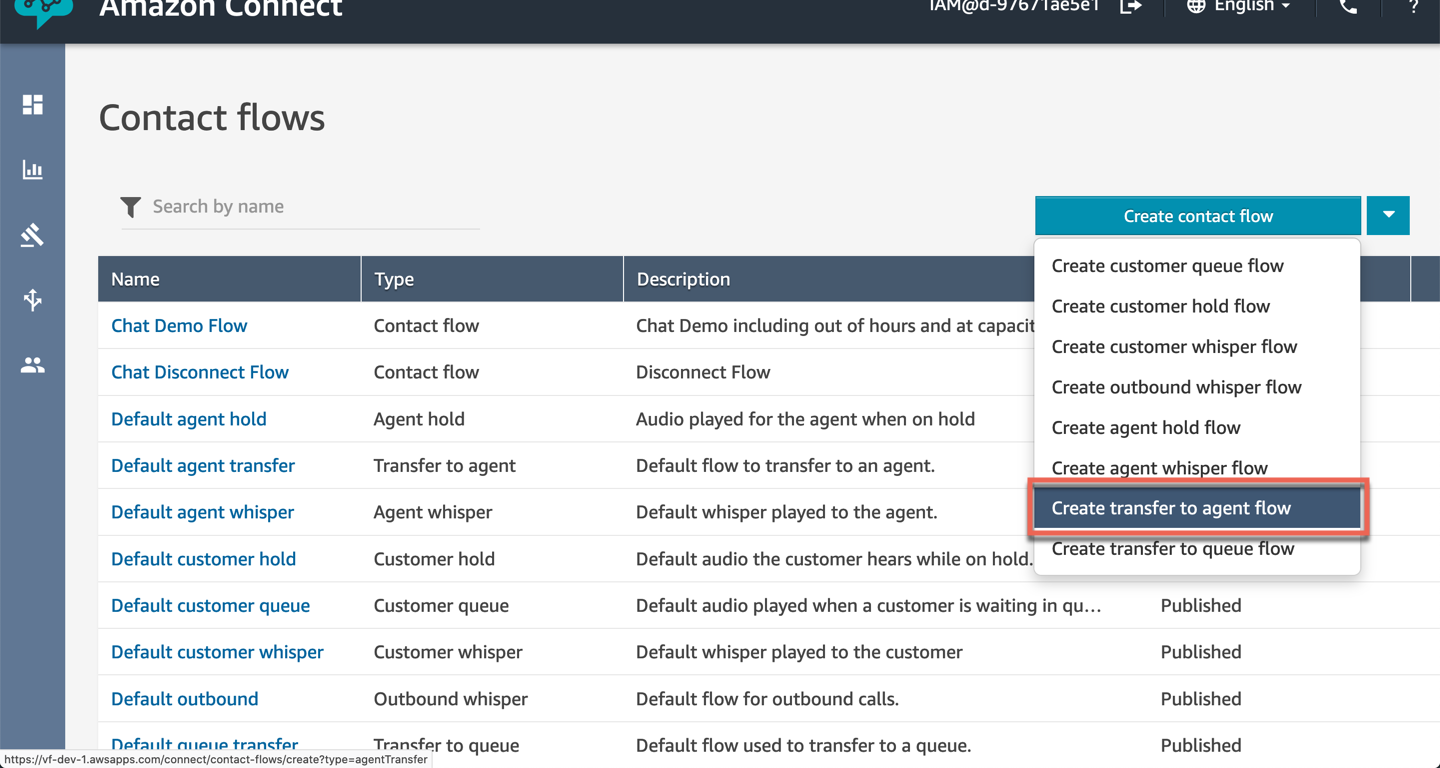
In your Connect instance, click on routing on the left hand navigation bar and select contact flows.
.png?cb=203a161ed48bd68f91ddcf82d836413e)
Click on the dropdown and select create transfer to agent flow.
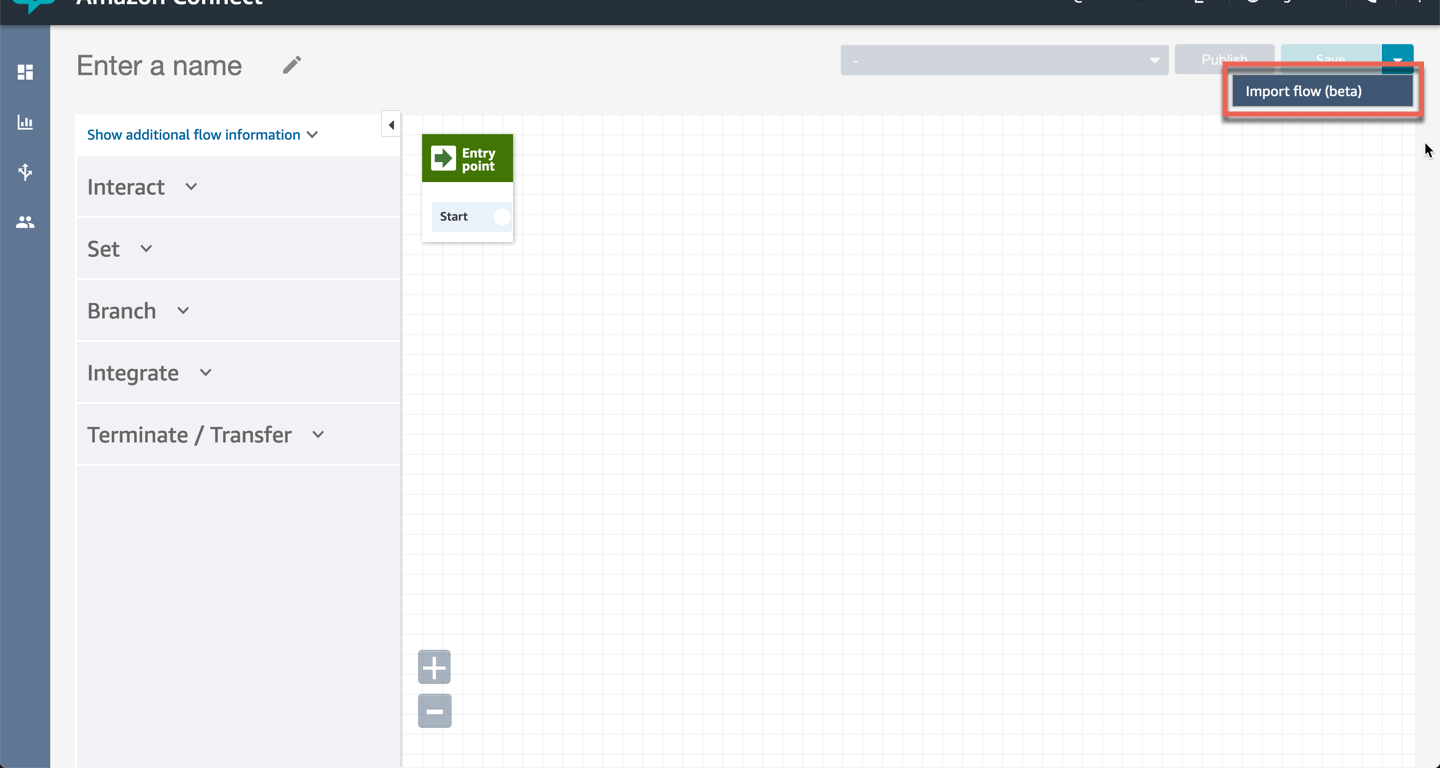
Click on the dropdown and select import flow (beta).
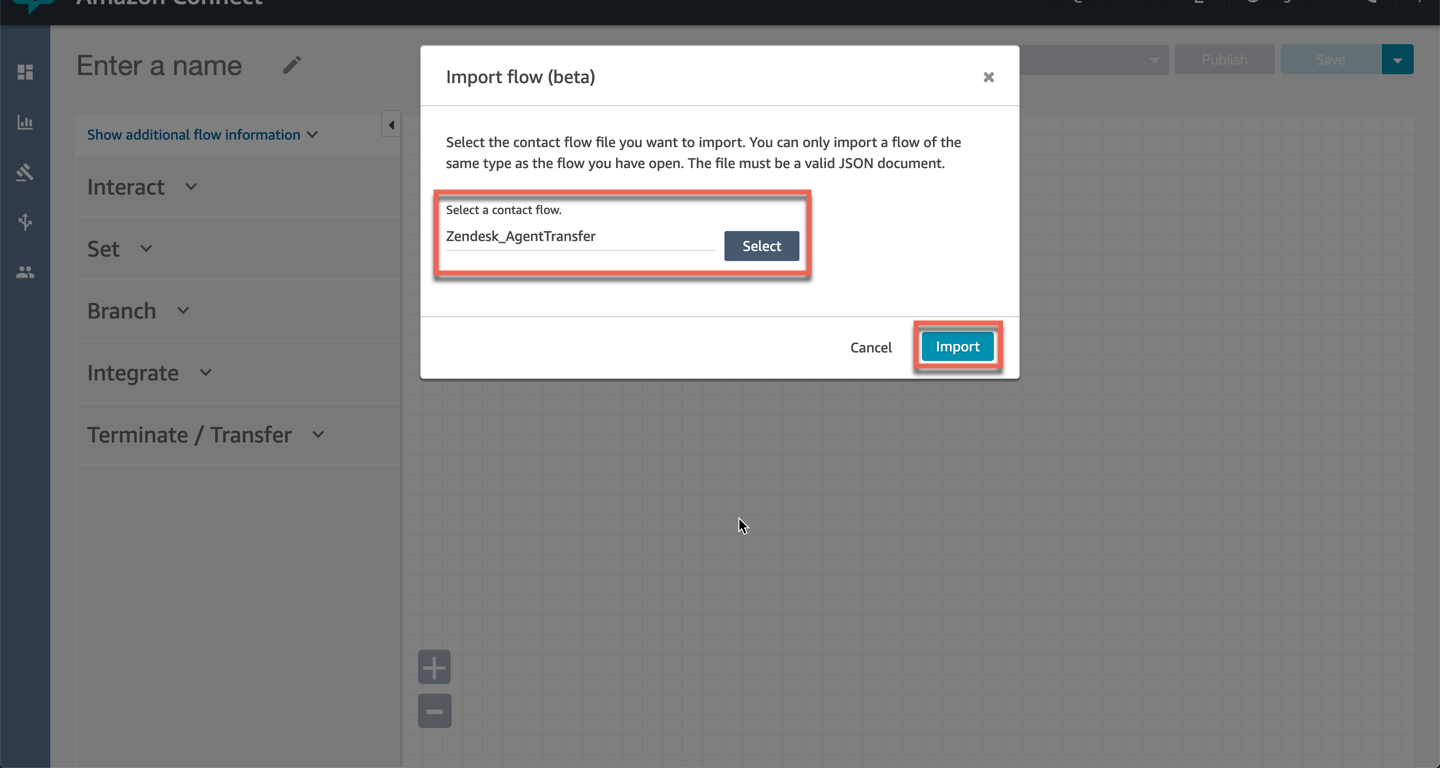
Click on select and choose the file Zendesk_AgentTransfer.json from your desktop. Click on import.
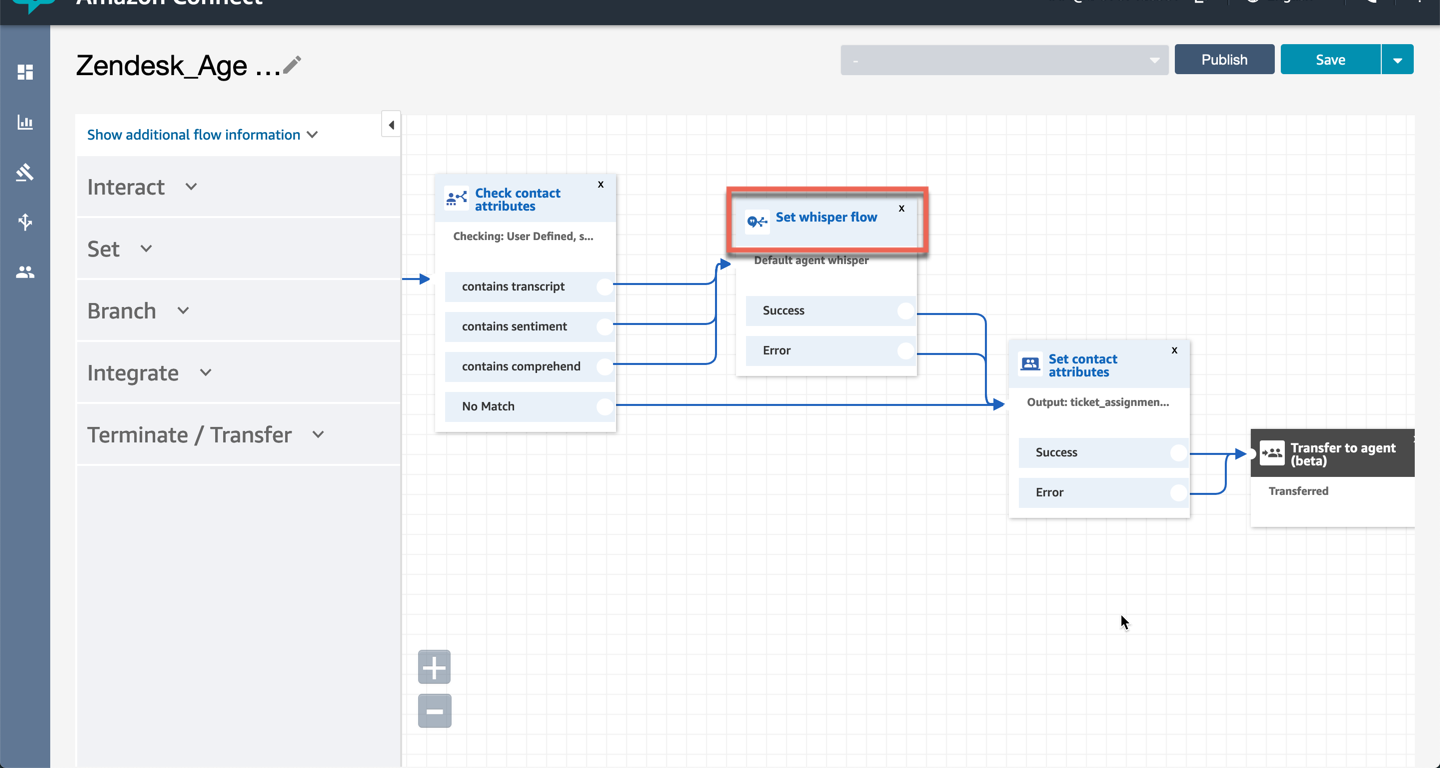
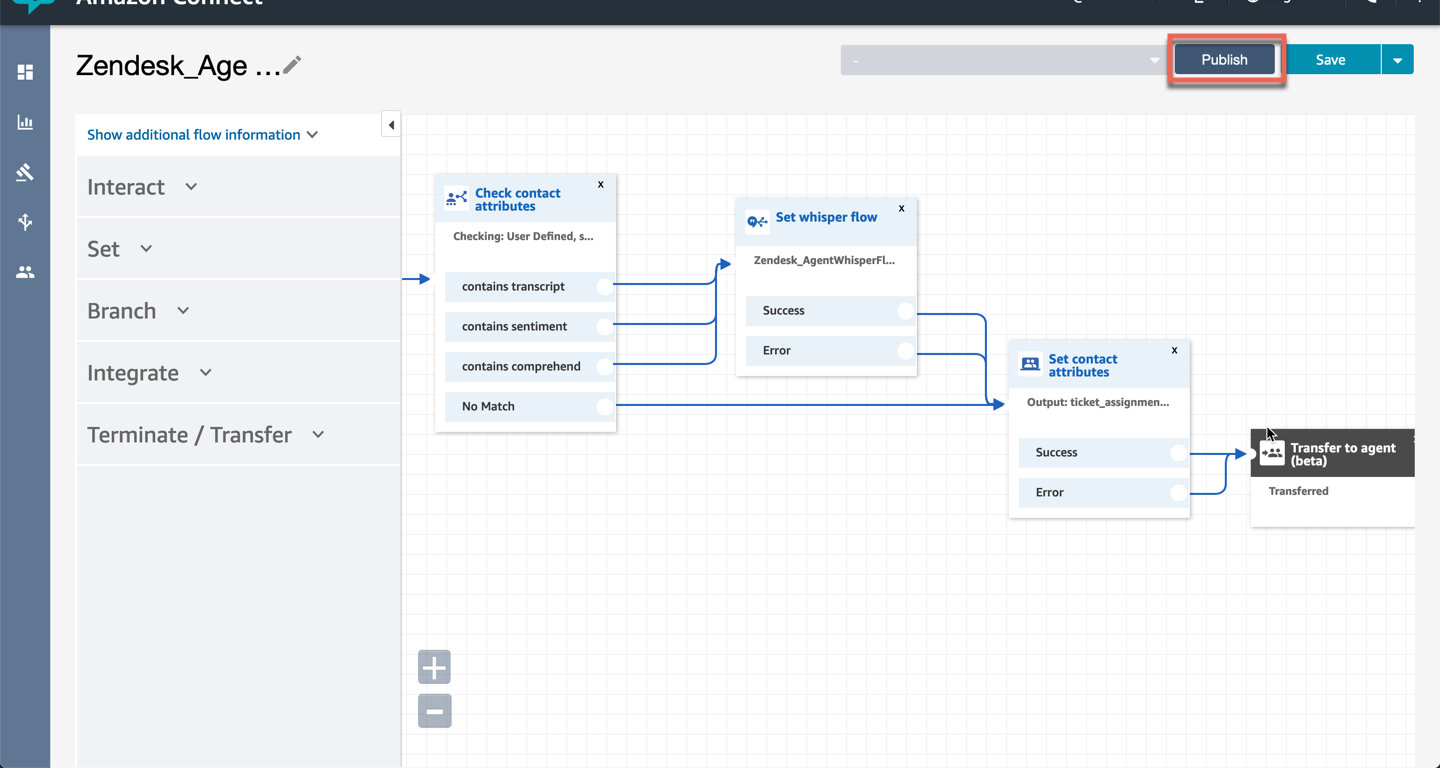
Click on set whisper flow.
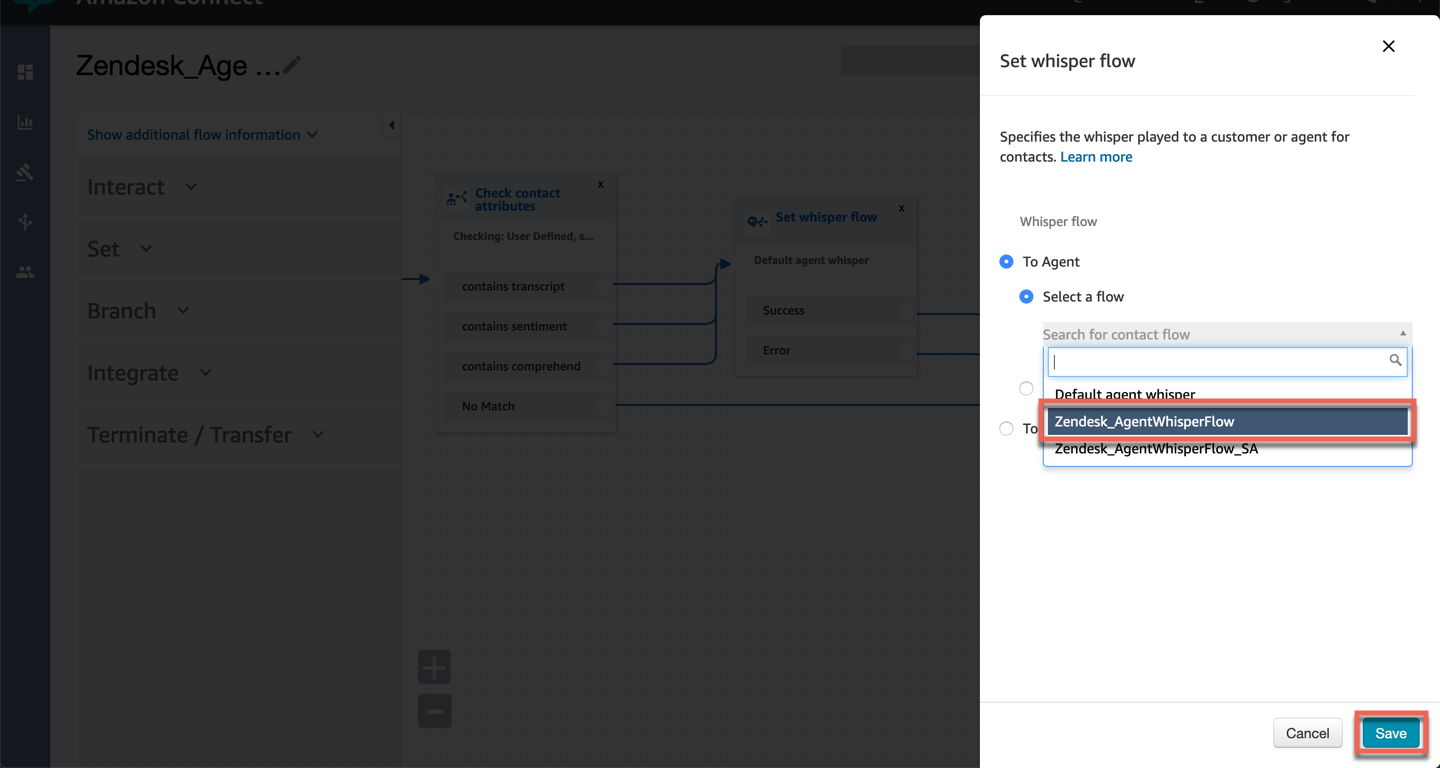
Set the flow to Zendesk_AgentWhisperFlow and click on save.
Click on publish.
Click on routing on the left hand navigation bar and select quick connects.
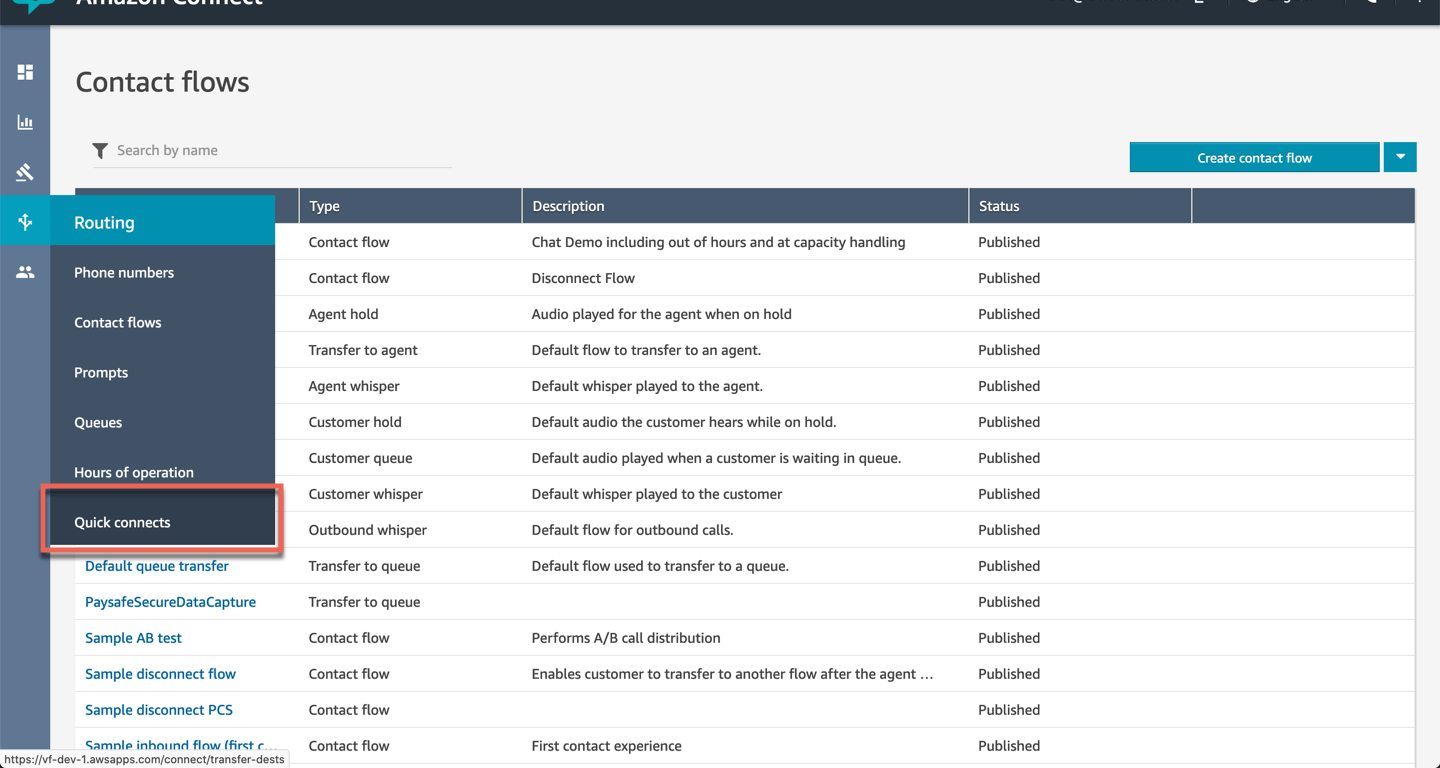
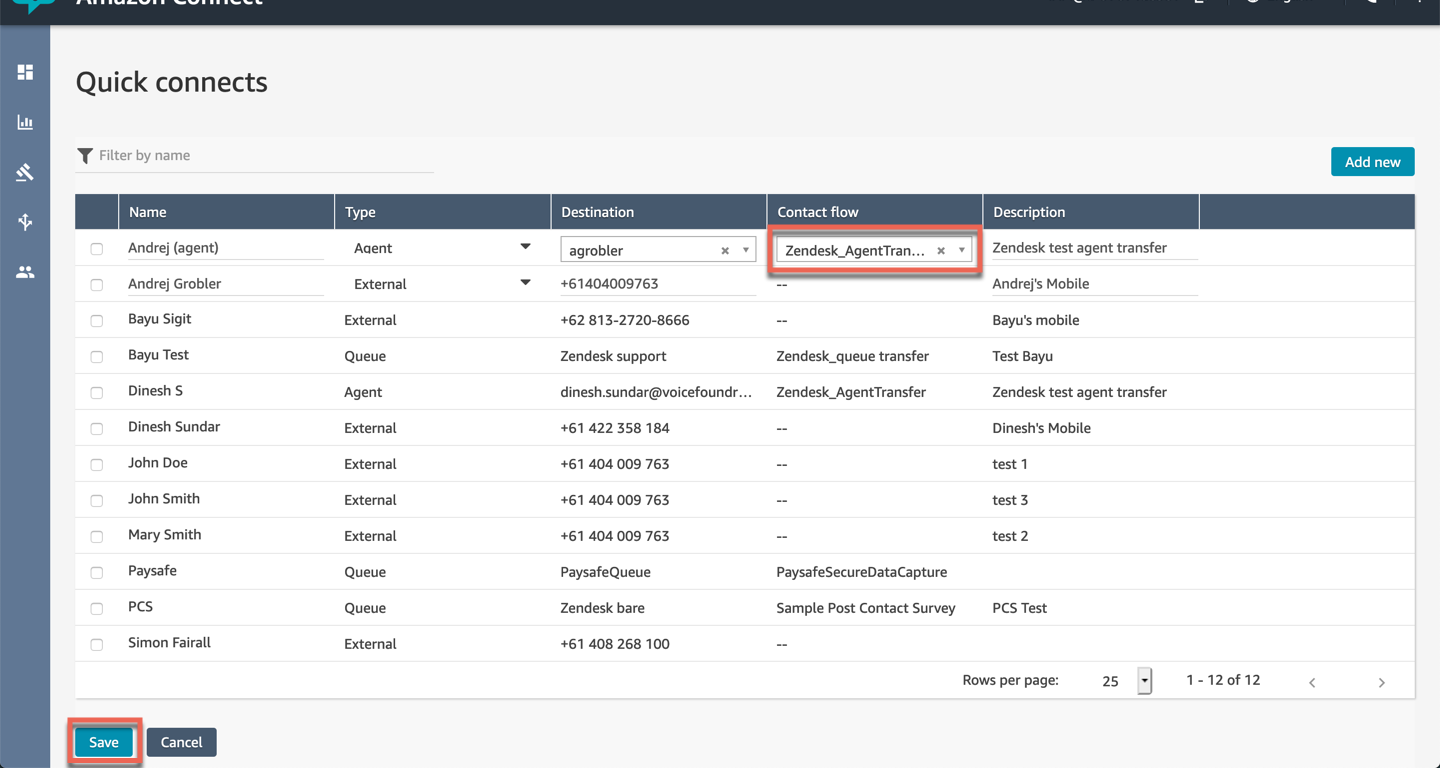
For every agent in the list, set the contact flow to Zendesk_AgentTransfer, then click on save.